When ClickHouse Queries Get “Stuck”: Detecting, Analyzing, and Safely Killing Problematic Sessions
ClickHouse is a high-performance columnar database management system designed for online analytical processing (OLAP). While it excels at handling large-scale data analytics workloads, even ClickHouse can encounter situations where queries become unresponsive or “stuck.” These problematic sessions can consume excessive resources, block other operations, and degrade overall system performance. Understanding how to detect, analyze, and safely terminate these queries is crucial for maintaining a healthy and responsive ClickHouse environment.
Understanding Stuck Queries in ClickHouse
A “stuck” query in ClickHouse refers to a query that appears to be running indefinitely without making visible progress or completing. This can happen due to various reasons, including complex query logic, insufficient system resources, locking conflicts, or bugs in specific query execution paths. Unlike some databases that may time out automatically, ClickHouse queries can continue running until explicitly terminated or until they naturally complete, which might take an impractical amount of time.
Stuck queries are particularly problematic in production environments where resource contention can affect critical workloads. They may hold locks on tables, exhaust memory, or monopolize CPU cycles, preventing other legitimate queries from executing efficiently. Therefore, database administrators and engineers need reliable methods to identify and address these issues promptly.
Detecting Stuck Queries
The first step in managing problematic queries is detection. ClickHouse provides several system tables that offer real-time insights into currently executing queries and historical query execution data.
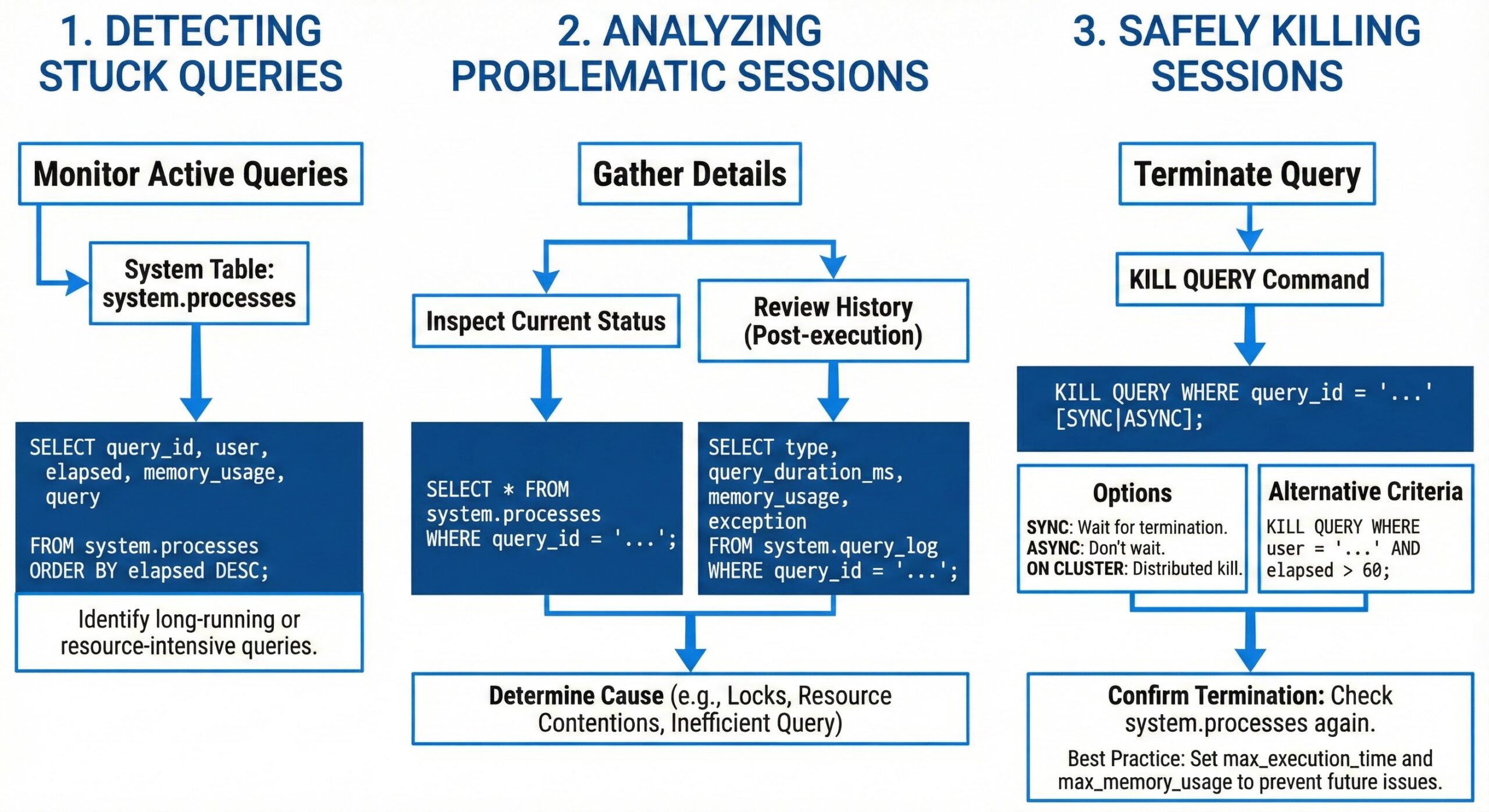
The system.processes table is the primary source for monitoring active queries. It contains information about all currently running queries, including their query text, execution time, memory usage, and user information. A simple query to identify long-running operations is:
SELECT
    query_id,
    user,
    query,
    elapsed AS execution_time,
    memory_usage
FROM system.processes
WHERE elapsed > 300
ORDER BY elapsed DESC
This query returns all queries that have been running for more than five minutes, helping to quickly spot potential issues. For historical analysis, the system.query_log table provides comprehensive information about completed and ongoing queries, allowing administrators to identify patterns of problematic queries over time.
Additional monitoring can be achieved through queries that check for specific conditions, such as high memory consumption or excessive CPU usage, which often accompany stuck queries. Regular monitoring of these system tables should be part of any ClickHouse operational strategy.
Analyzing Problematic Queries
Once a potentially stuck query is identified, the next step is analysis to determine whether it should be terminated or allowed to continue. This requires examining the query’s execution plan, resource consumption patterns, and business context.
ClickHouse’s query profiler can provide detailed information about where time is being spent during query execution. By analyzing the query text returned from system.processes, administrators can look for red flags such as full table scans on large datasets, inefficient joins, or complex subqueries that might explain the prolonged execution time.
It’s also important to consider the business impact of terminating a query. Some long-running queries might be legitimate analytical operations that require significant processing time. In such cases, rather than killing the query, it might be more appropriate to optimize it or schedule it during off-peak hours.
Safely Killing Problematic Sessions
When a query is confirmed to be problematic and should be terminated, ClickHouse provides the KILL QUERY statement. This command allows administrators to stop a specific query by its query ID:
KILL QUERY WHERE query_id = 'abc123'
For distributed environments, it’s essential to use the ON CLUSTER clause to ensure the query is terminated across all nodes in the cluster:
KILL QUERY ON CLUSTER [cluster-name] WHERE query_id = 'abc123'
This ensures that the query is properly terminated throughout the entire ClickHouse deployment. Without this clause, the query might continue running on other replicas, leading to inconsistent states.
Handling Edge Cases and Limitations
There are several edge cases to consider when killing queries in ClickHouse. In older versions (prior to 18.16.0), queries could not be killed if they hadn’t started execution yet due to waiting for locks. Additionally, queries containing sleep() functions might not respond to kill signals immediately, as the kill flag is only checked after processing each data block.
Mutations (such as ALTER TABLE … UPDATE or DELETE) present another challenge. When a mutation is stuck, it can be killed using the KILL MUTATION statement, but any changes already applied are not rolled back. This requires careful consideration before termination, as it may leave data in a partially modified state.
Best Practices for Prevention and Monitoring
Preventing stuck queries is preferable to reacting to them. This involves implementing proper query optimization techniques, setting appropriate query timeouts, and establishing resource limits for users and roles. ClickHouse allows configuration of settings like max_execution_time and max_memory_usage to automatically terminate queries that exceed predefined thresholds.
Regular monitoring using the system tables mentioned earlier should be automated through dashboards and alerting systems. This enables proactive detection of potential issues before they impact system performance. Additionally, educating users about writing efficient queries and providing query review processes can help reduce the occurrence of problematic queries.
Conclusion
Managing stuck queries in ClickHouse is an essential aspect of database administration. By leveraging the system’s built-in monitoring capabilities, understanding the proper procedures for query termination, and implementing preventive measures, organizations can maintain optimal performance and reliability in their ClickHouse deployments. The ability to detect, analyze, and safely kill problematic sessions ensures that analytical workloads can proceed efficiently without being hindered by rogue queries.
As ClickHouse continues to evolve, new features and improvements in query management are regularly introduced. Staying updated with the latest documentation and community best practices is crucial for effectively managing query execution in modern data analytics environments.
Further Reading
- SQL Antipatterns in ClickHouse
- When Not to Use ClickHouse
- MergeTree Settings: Tuning for Insert Performance vs Query Speed
- Monitoring Merge Queues in ClickHouse
- Using system.query_thread_log for Low-Level ClickHouse Performance Insights
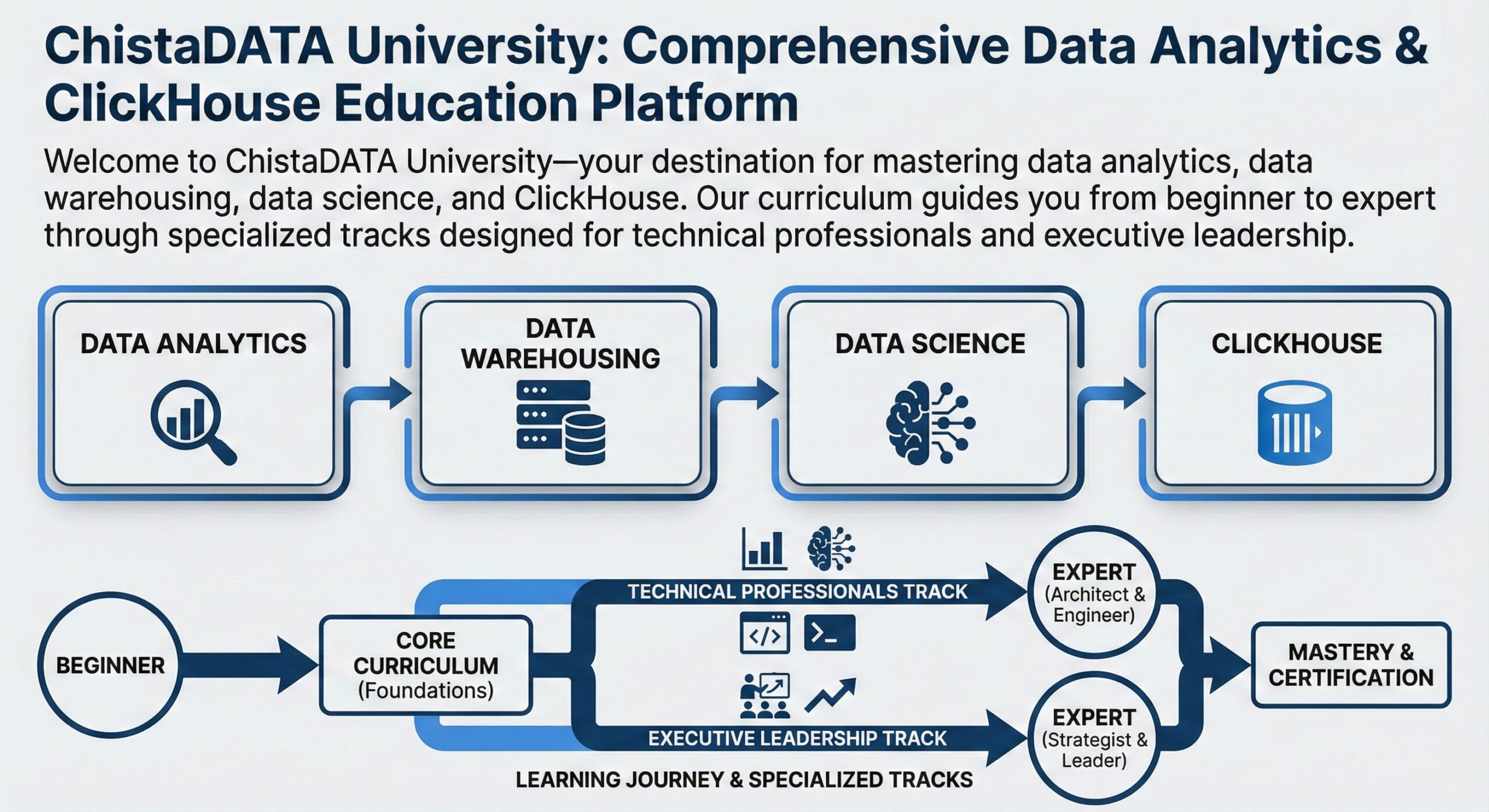
Running ClickHouse in production? ChistaDATA provides ClickHouse consulting for architecture, performance and migrations, and 24×7 ClickHouse support with a 15-minute S1 response. For day-to-day operations see ClickHouse DBA services and ClickHouse managed services.
