Analyzing Common SQL Antipatterns in ClickHouse and Best Practices for High Performance
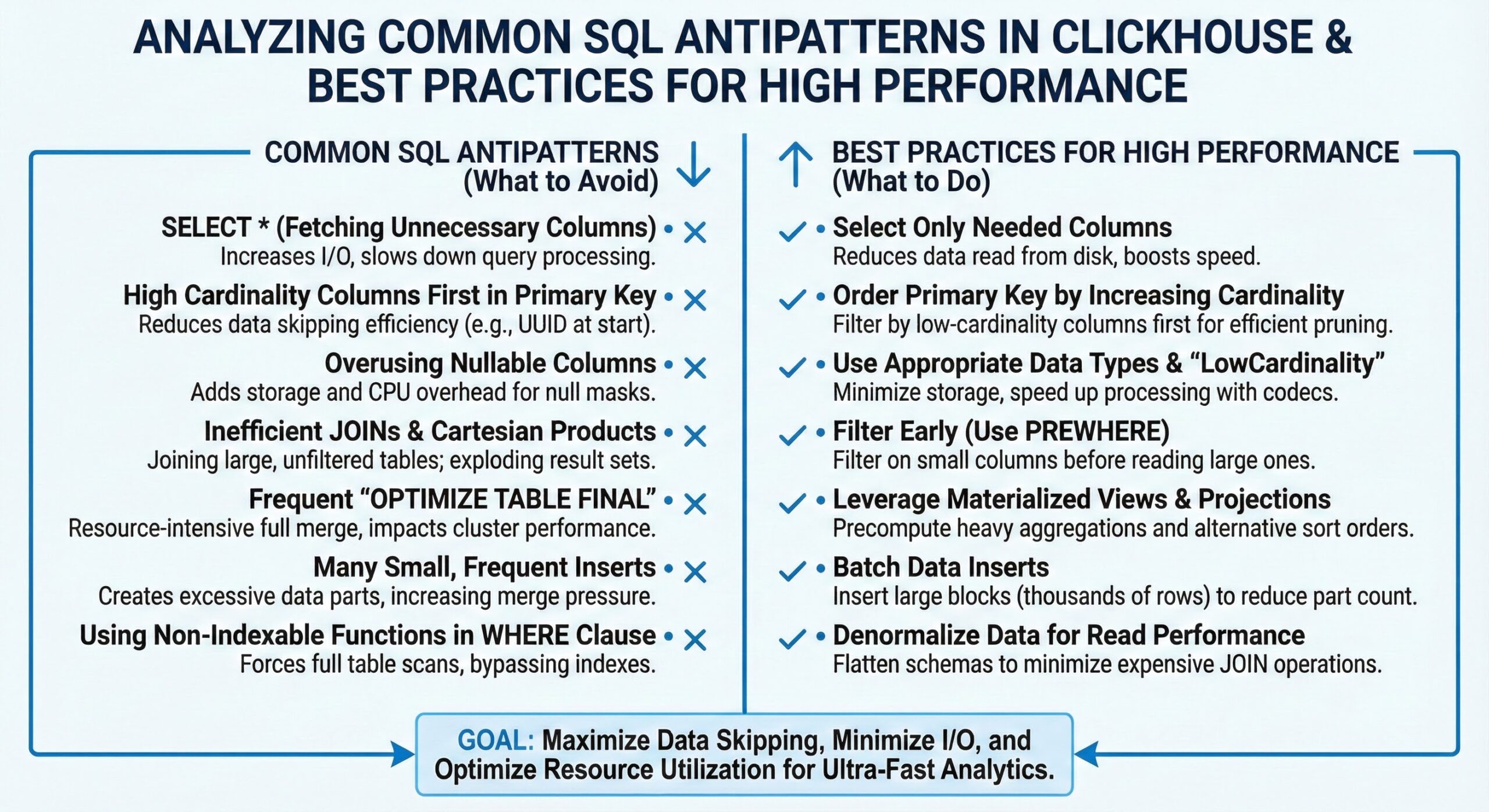
ClickHouse is renowned for its ability to process trillions of rows in milliseconds, making it a powerhouse for real-time analytics. However, this performance is not automatic—it depends heavily on avoiding common SQL anti-patterns that can severely degrade query efficiency. Poor choices in data types, indexing, table design, and query structure can turn a high-speed analytics engine into a sluggish system. This article examines the most damaging anti-patterns in ClickHouse, provides real-world examples, and offers actionable best practices to optimize your queries and schema design for peak performance.
1. Inefficient Use of Data Types
One of the most overlooked yet impactful anti-patterns is the misuse of data types. Using overly broad or inappropriate types increases storage footprint, reduces compression efficiency, and consumes more memory and CPU during query execution. For example, storing timestamps as String instead of DateTime prevents efficient range queries and wastes space. Similarly, using Int64 for small integers that fit in Int8 or Int16 quadruples storage requirements unnecessarily.
Best Practice: Always choose the smallest data type that can safely hold your data. Use FixedString for fixed-length strings like country codes, and Enum for categorical data with a limited set of values. This not only reduces disk usage but also improves cache efficiency and query speed.
2. Improper Indexing Strategies
ClickHouse relies on primary keys for data sorting and indexing, but many users misunderstand how they work. Unlike traditional databases, ClickHouse’s primary key is part of the ORDER BY clause and determines data layout on disk. A poorly chosen primary key can lead to full scans even with filters.
For instance, defining a primary key on a low-cardinality column like status while frequently querying by timestamp and user_id results in inefficient data skipping. Skip indexes can help, but they are not a substitute for proper primary key design. Misusing skip indexes by creating too many or on highly selective columns can bloat metadata and slow down inserts.
Best Practice: Design the ORDER BY clause to align with your most common query filters. Place high-selectivity, frequently filtered columns first. Use sparse primary indexes effectively by understanding granularity—reducing index granularity reduces scanned rows but increases index size. Skip indexes should be used sparingly for specific access patterns not covered by the primary key.
3. Poor Table Design and Denormalization Gone Wrong
While denormalization is often recommended in ClickHouse to avoid expensive JOINs, overdoing it leads to data redundancy, increased storage costs, and complex ETL pipelines. A common anti-pattern is creating wide tables with dozens of nullable columns, many of which are rarely used. This “kitchen sink” approach harms compression and query performance.
Another issue is failing to consider data update patterns. Using ReplacingMergeTree or VersionedCollapsingMergeTree without understanding their merge behavior can lead to stale data or excessive background processing.
Best Practice: Design schemas based on query patterns. Use MergeTree variants appropriately and avoid nullable columns when possible. Consider vertical partitioning or separate tables for rarely accessed attributes. Understand the trade-offs between normalization and denormalization based on your read/write workload.
4. Non-Optimal JOIN Usage
JOINs in ClickHouse are significantly more expensive than scanning a single denormalized table. While recent versions have improved JOIN performance by orders of magnitude, they still require careful handling. A common anti-pattern is using JOINs in high-frequency queries or with large right-side tables without proper sizing or distribution.
For example, performing a LEFT JOIN between a fact table with billions of rows and a dimension table that doesn’t fit in memory can cause spilling to disk and long latencies.
Best Practice: Minimize JOINs by denormalizing data at ingestion time using materialized views or pre-joined tables. When JOINs are necessary, ensure the right-hand side is small enough to fit in memory and use JOIN algorithms like hash or partial_merge appropriately. Consider using IN or subqueries for simple lookups if they are more efficient.
5. Excessive Use of Subqueries and Correlated Queries
Complex nested subqueries, especially correlated ones, can prevent ClickHouse from optimizing execution plans effectively. A correlated subquery that executes row-by-row defeats the vectorized processing model.
For example, a query that calculates a running total using a correlated subquery for each row will perform poorly compared to using window functions.
Best Practice: Replace correlated subqueries with window functions (ROW_NUMBER, LAG, SUM() OVER) whenever possible. Flatten nested subqueries into CTEs or temporary tables if they improve readability and performance. Use EXISTS instead of IN with subqueries for better optimization.
6. Inefficient WHERE Clause Conditions
Non-sargable predicates in the WHERE clause are a major performance killer. Applying functions to columns (e.g., WHERE toDate(timestamp) = ‘2024-01-01’) prevents index usage and forces full scans. Similarly, using OR conditions across non-indexed columns or negations like != or NOT IN can bypass skip indexes.
Best Practice: Keep WHERE clauses sargable by avoiding functions on indexed columns. Rewrite WHERE toDate(timestamp) = ‘2024-01-01’ as WHERE timestamp >= ‘2024-01-01’ AND timestamp < ‘2024-01-02’. Use IN with small lists instead of multiple OR conditions.
7. Inefficient Aggregation Patterns
Aggregating large datasets without proper pre-aggregation or using non-optimized aggregate functions can lead to high memory usage and slow queries. For example, using GROUP BY on high-cardinality columns without sufficient resources causes spilling.
Best Practice: Use approximate aggregation functions like uniqCombined or quantileTiming for large datasets. Pre-aggregate data using AggregatingMergeTree or materialized views for common rollups. Limit result sets with LIMIT and avoid SELECT * in aggregations.
8. Identifying Issues Through Query Profiling and System Tables
ClickHouse provides powerful tools to diagnose performance issues. The system.query_log table captures execution statistics like duration, rows read, and memory usage, helping identify slow queries. Use EXPLAIN to inspect execution plans and see how data is being scanned and processed.
Best Practice: Regularly monitor system.query_log and system.metrics to spot anomalies. Use EXPLAIN AST, EXPLAIN PLAN, and EXPLAIN PIPELINE to understand query transformation and execution flow 2. Leverage the query analyzer to detect bottlenecks automatically.
9. Best Practices Summary
- Choose optimal data types to reduce storage and improve compression.
- Design ORDER BY and primary keys around common query filters.
- Minimize JOINs through denormalization and materialized views.
- Avoid functions on columns in WHERE clauses to maintain index usability.
- Use window functions instead of correlated subqueries.
- Pre-aggregate data for frequent analytical queries.
- Monitor and analyze queries using system tables and EXPLAIN.
Conclusion
Avoiding SQL anti-patterns in ClickHouse is essential for maintaining high query performance at scale. By understanding how data types, indexing, and query structure impact execution, and by leveraging ClickHouse’s built-in profiling tools, you can transform inefficient queries into optimized, high-speed operations. The key is to design with performance in mind from the start, using real-world query patterns as your guide.
Further Reading
- The definitive guide to ClickHouse query optimization
- Guide for Query optimization in ClickHouse
- Real-Time Analytics
- ClickHouse Break Fix Engineering
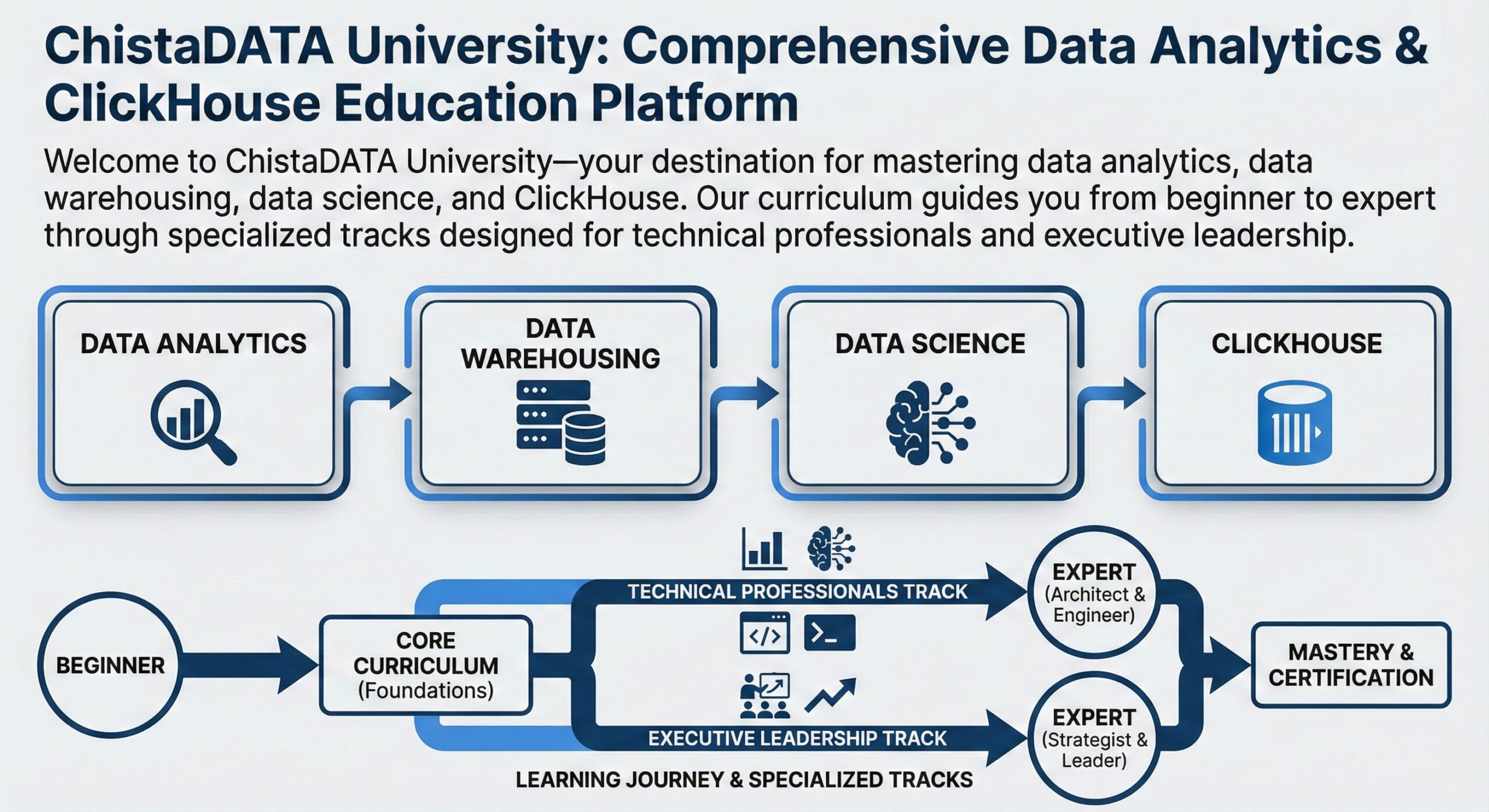
- ChistaDATA University: Comprehensive Data Analytics & ClickHouse Education Platform
You might also like:
- Gen AI with LLM integration: Part 2 – Integrating ChatGPT with ChistaDATA DBaaS: A New Era of Intuitive Database Management
- ClickHouse EXPLAIN: Display & Analyze Execution Plans
- ClickHouse Query Profiling for Performance Monitoring
- ClickHouse Troubleshooting: How to Restore/Recover ClickHouse after ZooKeeper Metadata is Corrupted/Lost
- Optimizing Performance: Inside ClickHouse’s Thread Pool Management